Best ESP32 Simulator 2025 — Wokwi, Proteus & Tinkercad ESP32
Looking for the Best ESP32 Simulator in 2025? This guide compares the three free tools that actually work — Wokwi, Proteus and Tinkercad ESP32 — so you can pick the right Wokwi alternative for Wi-Fi, IoT and Arduino ESP32 projects without burning through hardware.

If you're building Arduino ESP32 projects, you need the right tools — and the good news is you don't need physical hardware to start. The best free online ESP32 simulator options in 2025 — Wokwi simulation, Proteus simulation and Tinkercad — let you design, test and debug projects for the ESP32 WROOM, ESP32 DevKit, ESP32 dev board, ESP32-S3, ESP32-C3, ESP32-CAM and ESP32 Mini from anywhere. They cover the full ESP32 pinout, Wi-Fi, Bluetooth, and the Arduino IDE ESP32 workflow from Espressif, alongside Raspberry Pi Pico and ATmega — saving time, money and a whole lot of soldering for students, hobbyists, educators and pros.
So, why should you use online simulators? First, they eliminate the need for expensive components. Second, they let you catch bugs before you buy parts. Third, they support real-time visualization of both code and circuits. Finally, they enable remote teamwork. Consequently, online simulation has become essential in modern electronics development.
Why Online Microcontroller Simulators Are Essential in 2025
Online microcontroller simulators offer a safe, fast, and flexible way to learn and build. For instance, you can test a sensor circuit without wiring anything. Likewise, you can debug code without risking damage to real hardware. Therefore, these tools are perfect for beginners and experts alike.
Additionally, they help you avoid common pitfalls. You won’t fry an LED by using the wrong resistor. You won’t short a pin by miswiring a breadboard. Instead, you’ll see exactly what happens when your code runs. As a result, your confidence grows with every simulation.
Furthermore, many platforms now support advanced features like IoT connectivity, real-time data logging, and cloud integration. Because of this, you can prototype smart home devices, environmental monitors, or robotics projects—all in your browser.
Best Free Online Microcontroller Simulators for Arduino, ESP32 & Raspberry Pi Pico
After testing dozens of platforms, we’ve narrowed the list to the top three free online tools in 2025. Each one serves a unique purpose: simulation, education, or manufacturing. Together, they cover the full journey—from idea to real-world PCB.
Wokwi – The Most Advanced Arduino and ESP32 Simulator Online
Wokwi stands out as the most powerful free simulator for modern embedded systems. Not only does it support Arduino Uno, Nano, and Mega, but it also fully simulates ESP32, STM32, and Raspberry Pi Pico. Because of this, it’s ideal for IoT developers and advanced makers.
What makes Wokwi special? First, it runs real Arduino C++ code in the browser. Second, it supports MicroPython and even Rust for select boards. Third, it includes realistic components like OLED displays, DHT sensors, GPS modules, and Wi-Fi networks. Therefore, you can build a complete weather station or smart clock without leaving your desk.
Moreover, Wokwi integrates with VS Code and JetBrains IDEs. This means you can write code locally and sync it to the simulator. In addition, the platform updates frequently with new parts and features. As a result, it stays ahead of most desktop alternatives.
The community also plays a big role. You’ll find active help on Discord and LinkedIn. Plus, thousands of public projects are available to copy, modify, and learn from. For these reasons, Wokwi is our top recommendation for serious prototyping.
Tinkercad Circuits – Best for Beginners and Classroom Learning
If you’re new to electronics, Tinkercad Circuits is the perfect starting point. Developed by Autodesk, it uses a simple drag-and-drop interface that requires zero setup. Consequently, students as young as middle school can start building circuits right away.
Tinkercad includes virtual Arduino Uno, Mega, and Nano boards. You can add resistors, LEDs, buttons, potentiometers, and common sensors with a single click. Then, you write code in the built-in editor and watch electricity flow through the wires in real time. This visual feedback helps learners understand voltage, current, and logic instantly.
In addition, Tinkercad offers hundreds of guided lessons. These cover everything from blinking an LED to reading temperature data. Teachers can assign projects, track progress, and even run virtual labs. Because of this, it’s widely used in schools and coding bootcamps worldwide.
While it doesn’t support ESP32 or Raspberry Pi Pico yet, Tinkercad remains unmatched for foundational learning. Once you master the basics here, you can move to more advanced tools like Wokwi.
PCBX – From Simulation to Real PCB Manufacturing
PCBX isn’t a code simulator—but it’s the critical next step after simulation. Once your circuit works in Tinkercad or Wokwi, you’ll want to build a real printed circuit board (PCB). That’s where PCBX shines.
PCBX simplifies the path from design to production. You upload Gerber files (the standard format for PCBs), and the platform gives you an instant quote. Whether you need 5 boards or 5,000, PCBX handles prototypes and mass production alike. Moreover, it offers PCB assembly (PCBA) services, so components get soldered automatically.
Quality matters too. PCBX uses advanced manufacturing tech and strict quality control. Therefore, your final board will match your simulation closely. This reduces the risk of redesigns and wasted money.
Although PCBX doesn’t simulate code, it completes the workflow. First, simulate in Wokwi or Tinkercad. Then, design your custom PCB in tools like EasyEDA or KiCad. Finally, send it to PCBX for fast, affordable production. In this way, you go from idea to physical product in weeks—not months.
How to Choose the Right Simulator for Your Project
Not every tool fits every need. So, how do you pick the best one? Start by asking: Are you learning, prototyping, or manufacturing?
If you’re a student or teacher, begin with Tinkercad Circuits. Its visual approach builds intuition fast. On the other hand, if you’re building IoT devices with Wi-Fi or Bluetooth, choose Wokwi. It handles complex code and sensors better than any free alternative.
Once your design is stable, think about PCBX. Don’t order boards too early—wait until your simulation runs flawlessly. Otherwise, you might pay for a PCB that doesn’t work. Therefore, use simulation as your safety net.
Real-World Example: Simulating a Motion-Activated LED
Let’s say you want to build a motion detector using an ultrasonic sensor and an LED. Instead of buying parts, you can simulate it first. Below is a working Arduino sketch you can test in Wokwi or Tinkercad.
 // Define pin connections
const int trigPin = 9;
const int echoPin = 10;
const int ledPin = 8;

// Set a distance threshold for detecting movement (in cm)
const int movementThreshold = 50; // Adjust this to your desired distance

void setup() {

// Initialize pin modes
pinMode(trigPin, OUTPUT);
pinMode(echoPin, INPUT);
pinMode(ledPin, OUTPUT);

// Start Serial Monitor for debugging
Serial.begin(9600);
Serial.println("Starting distance sensor...");
}

void loop() {

// Trigger the sensor to send out a pulse
digitalWrite(trigPin, LOW);
delayMicroseconds(2);
digitalWrite(trigPin, HIGH);
delayMicroseconds(10);
digitalWrite(trigPin, LOW);

// Measure the duration of the pulse
long duration = pulseIn(echoPin, HIGH);

// Calculate distance (in cm)
int distance = duration * 0.034 / 2;

// Print distance to Serial Monitor for debugging
Serial.print("Distance: ");
Serial.print(distance);
Serial.println(" cm");

// Check if an object is within the threshold distance
if (distance > 0 && distance <= movementThreshold) {
Serial.println("Object detected within range. Turning LED on.");
digitalWrite(ledPin, HIGH); // Turn on the LED
} else {
Serial.println("No object detected or out of range. Turning LED off.");
digitalWrite(ledPin, LOW); // Turn off the LED
}

// Delay to avoid overwhelming the sensor
delay(200);
}
In Wokwi, you’d drag an HC-SR04 sensor and an LED onto the breadboard, connect the pins, and paste this code. Instantly, you’d see the LED light up when a virtual object moves close. Similarly, Tinkercad lets you do the same with its built-in ultrasonic sensor model.
This approach saves money and time. You’ll fix logic errors before wiring real components. Consequently, your first physical build will likely work on the first try.
Tips for Getting the Most Out of Online Simulators
To maximize your success, follow these best practices. First, start simple. Don’t simulate a full robot on day one. Instead, blink an LED, then read a sensor, then combine them.
Second, use the serial monitor. Both Wokwi and Tinkercad show real-time debug output. This helps you track variables and spot bugs quickly. Third, save your projects often. Cloud platforms auto-save, but it’s wise to export backups.
Fourth, explore public projects. Wokwi’s gallery includes smart mirrors, GPS trackers, and MIDI controllers. Tinkercad’s lessons cover motors, servos, and LCD displays. By studying these, you’ll learn faster.
Finally, pair simulation with real hardware when ready. Simulators are powerful, but they can’t replicate every electrical quirk. So, once your code works online, test it on a real Arduino. Then, if all goes well, design your custom PCB with PCBX.
Need this built for you? I do custom Arduino, ESP32 and Proteus projects from $15.
Final Thoughts: Simulate First, Build Later
In 2025, free online microcontroller simulators are more capable than ever. Wokwi leads for advanced users, Tinkercad excels for education, and PCBX bridges the gap to manufacturing. Together, they form a complete, cost-free workflow.
Therefore, whether you’re a student, hobbyist, or engineer, start simulating today. You’ll learn faster, fail safely, and build better projects. After all, the best hardware is the kind you test before you buy.
So, pick a platform, open your browser, and bring your next idea to life—no soldering iron required.
Stuck on your own build? Send me your Arduino / ESP32 / Proteus project on Fiverr — from $15, you don't pay if it doesn't work.
The Engineer Post
Embedded systems engineer and educator. Writes weekly tutorials at EmbedLab to help beginners ship real hardware.
Related projects

ESP32 Proteus 8 Simulation — Free ESP32 Library, Arduino IDE & WROOM DevKit Guide
Add the ESP32 to Proteus 8 easily and for free: ESP32 library install, Arduino IDE ESP32 setup, ESP32 WROOM / ESP32 DevKit pinout, Wi-Fi & Bluetooth simulation and Wokwi alternatives for ESP32-S3, ESP32-C3 and ESP32-CAM.
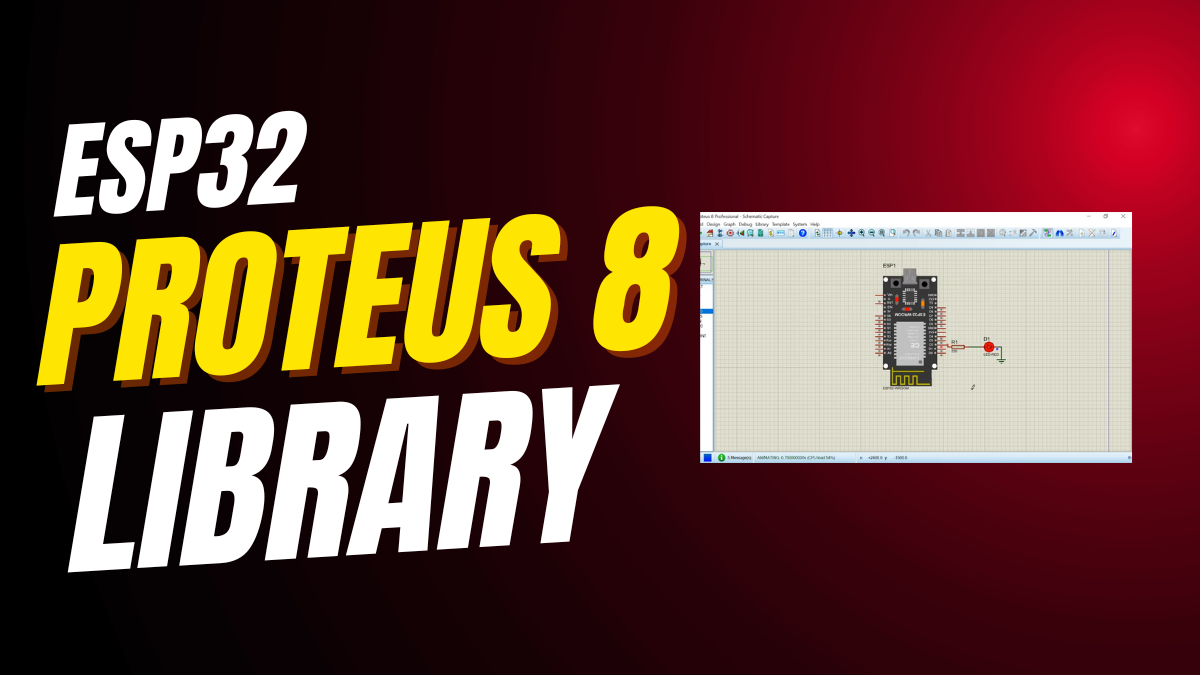
ESP32 Proteus Library — Free Download & Install Guide (ESP32 WROOM, DevKit, S3, C3)
Free ESP32 Proteus library download and install guide: add ESP32 WROOM, ESP32 DevKit, ESP32 dev board, ESP32-S3, ESP32-C3 and ESP32-CAM to Proteus 8 and simulate Arduino IDE ESP32 Wi-Fi and Bluetooth projects step by step.
ESP32 LED Blink in Proteus 8 Simulation — Arduino IDE ESP32 WROOM DevKit Tutorial
Step-by-step ESP32 LED blink simulation in Proteus 8 using Arduino IDE ESP32, ESP32 WROOM-32 DevKit, the ESP32 pinout (GPIO2) and Wokwi/Proteus simulation — full Espressif ESP32 dev board code included.
ESP-WROOM-32: ESP32 Dev Board Specs, Pinout, Price, Wi-Fi & Bluetooth Guide
Complete ESP-WROOM-32 guide: ESP32 specs, ESP32 pinout, ESP32 price, Wi-Fi and Bluetooth, ESP32 DevKit setup in Arduino IDE, and how it compares to ESP32-S3, ESP32-C3, ESP32-CAM and ESP32 Mini boards from Espressif.
Top 5 Online Arduino Circuit Simulators — Tinkercad, Wokwi, Proteus & SimulIDE 2025
The best top 5 online Arduino circuit simulators in 2025: Tinkercad Arduino, Tinkercad circuits, Wokwi simulation, Proteus simulation, SimulIDE and other Arduino simulator online tools for Arduino UNO, Arduino Nano and ESP32 Arduino projects.