Arduino Ultrasonic

Learn how to use an ultrasonic distance sensor with an Arduino Uno to detect nearby objects and control an LED. This beginner-friendly tutorial includes the circuit diagram and complete code explanation.
📌 Project Overview
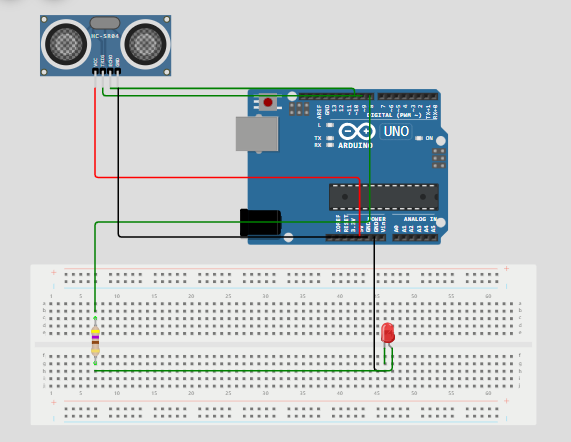
This Arduino project demonstrates how to integrate an HC-SR04 ultrasonic distance sensor with an LED using an Arduino Uno. The setup measures the distance to nearby objects and turns on an LED if an object is within a specified range (e.g., 50 cm). It’s a great starting point for learning about Arduino sensors, distance measurement, and real-time feedback systems.
🔧 Components Needed
-
Arduino Uno
-
HC-SR04 Ultrasonic Sensor
-
LED
-
220Ω Resistor
-
Breadboard and Jumper Wires
-
USB Cable for Programming
⚙️ How It Works
The ultrasonic sensor emits a pulse using the trigPin and listens for the echo on the echoPin. The duration of the echo is used to calculate the distance to an object. If the object is within the 50 cm threshold, the LED (connected to ledPin) is turned on.
🧠 Key Concepts Covered
-
Interfacing ultrasonic sensors with Arduino
-
Using
pulseIn()to measure echo time -
Converting echo duration to distance
-
Controlling outputs based on sensor data
-
Serial Monitor debugging
-
Real-world application: basic obstacle detection
🔌 Circuit Diagram
💻 Arduino Code: Ultrasonic Sensor with LED
🔄 Applications of This Project
🧩 Keywords You’re Targeting
EmbedLab Team
Embedded systems engineer and educator. Writes weekly tutorials at EmbedLab to help beginners ship real hardware.
Related projects
Arduino Ultrasonic Sensor
Arduino ultrasonic projects let you measure distance and respond to it in real time. In this guide, you’ll build a reliable Arduino ultrasonic distance sensor that activates an LED when an object come
Arduino UNO Ultrasonic Project — HC-SR04 Distance Sensor with Free Arduino IDE Code
Build an Arduino UNO ultrasonic distance project with the HC-SR04 sensor and LCD display: free Arduino IDE code and Arduino library — easily ported to Arduino Nano, Arduino Mega and ESP32 Arduino.

Arduino UNO I2C Temperature Monitor — LCD, LM35 & Free Arduino IDE Code
Build an Arduino UNO I2C temperature monitoring project step by step: LM35 sensor, I2C LCD display, free Arduino IDE code and Arduino library — same wiring works for Arduino Nano, Arduino Mega and ESP32 Arduino.
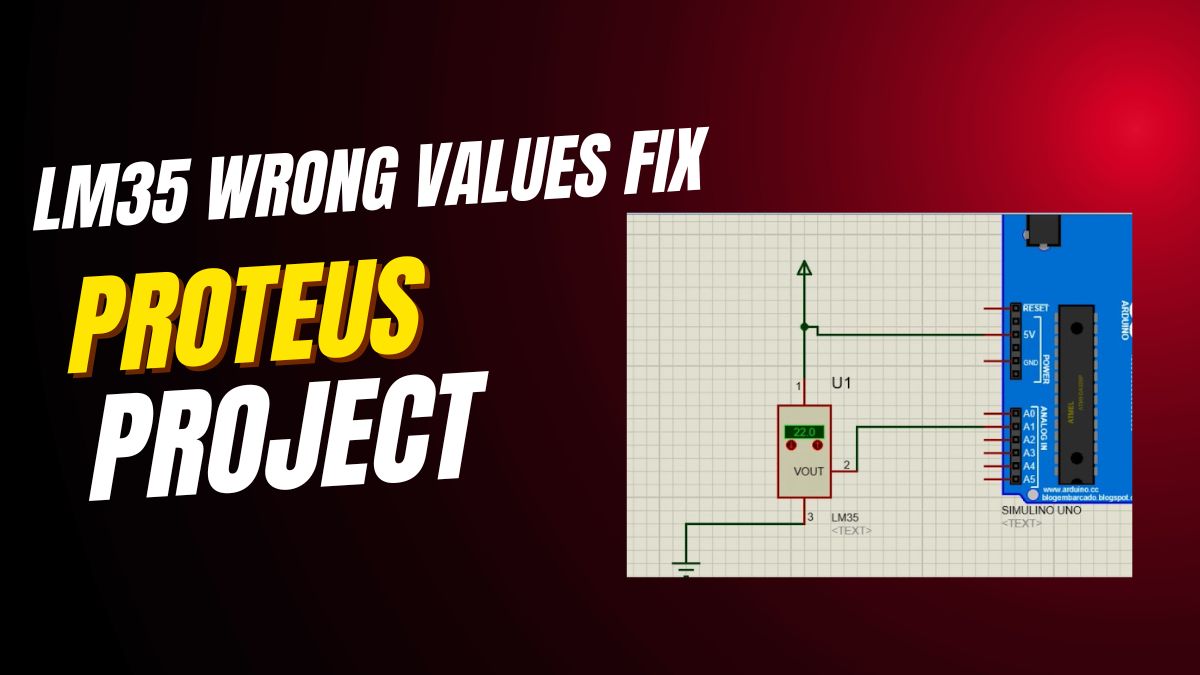
Fix LM35 Wrong Values on Arduino UNO — Free Arduino IDE Code & LCD Tutorial
How to fix LM35 wrong values on Arduino UNO: free Arduino IDE code, Arduino library, LCD display wiring and analog reference tips — also works for Arduino Nano, Arduino Mega and ESP32 Arduino temperature projects.

Build Arduino Smart Parking System with LCD & Sensors
Arduino Smart Parking System Global schematic Are you tired of circling blocks looking for parking? Imagine a smart system that shows you instantly whether a spot is free. This Arduino Smart Parking S